
Security settings
Redirect to https, HSTS, content security policy, framing, file-type sniffing, referrer policy and cookie flags, with advice tailored to the host: GitHub Pages, Cloudflare, Vercel, Wix, Shopify and more.
For IT and security professionals
Exposure Scanner checks a website's security settings, certificate, software and email protection, then writes a plain-language report: what was found, why it matters and what to do. Free, read-only and open source.
Windows 10 and 11 · free under the MIT license · source on GitHub
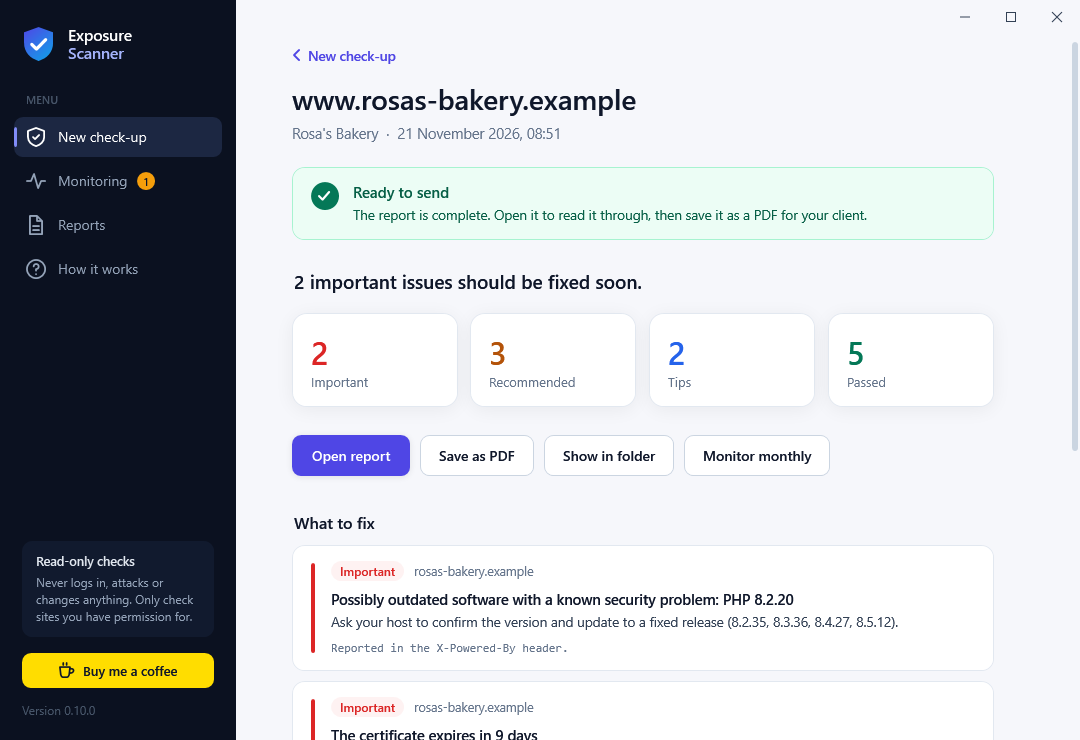
Free tools cover each of these on their own. Exposure Scanner puts them in one app and turns the results into a report you can hand to a business owner.
Redirect to https, HSTS, content security policy, framing, file-type sniffing, referrer policy and cookie flags, with advice tailored to the host: GitHub Pages, Cloudflare, Vercel, Wix, Shopify and more.
Trust, expiry, key strength and encryption version. It notices when an antivirus or company filter swaps the certificate, and tells you how to pause just that feature.
Finds WordPress, Next.js, Drupal, Joomla, Magento and Ghost, plus Apache, nginx, IIS, PHP and OpenSSL, and checks the versions against about 1,500 known security holes from WordPress.org, NIST NVD, OSV.dev and CISA's list of holes attackers are using.
Works out the server's operating system from labels like "Apache/2.4.41 (Ubuntu)": Ubuntu, Debian, CentOS and the Red Hat family, and Windows Server from IIS. It flags releases that no longer get security updates.
Reads the domain's public SPF, DMARC and DKIM records and says whether scammers could send email in the business's name. DNS only, no email sent.
Scans a project folder for passwords, API keys and tokens left in files, without ever copying the secret itself into the report.
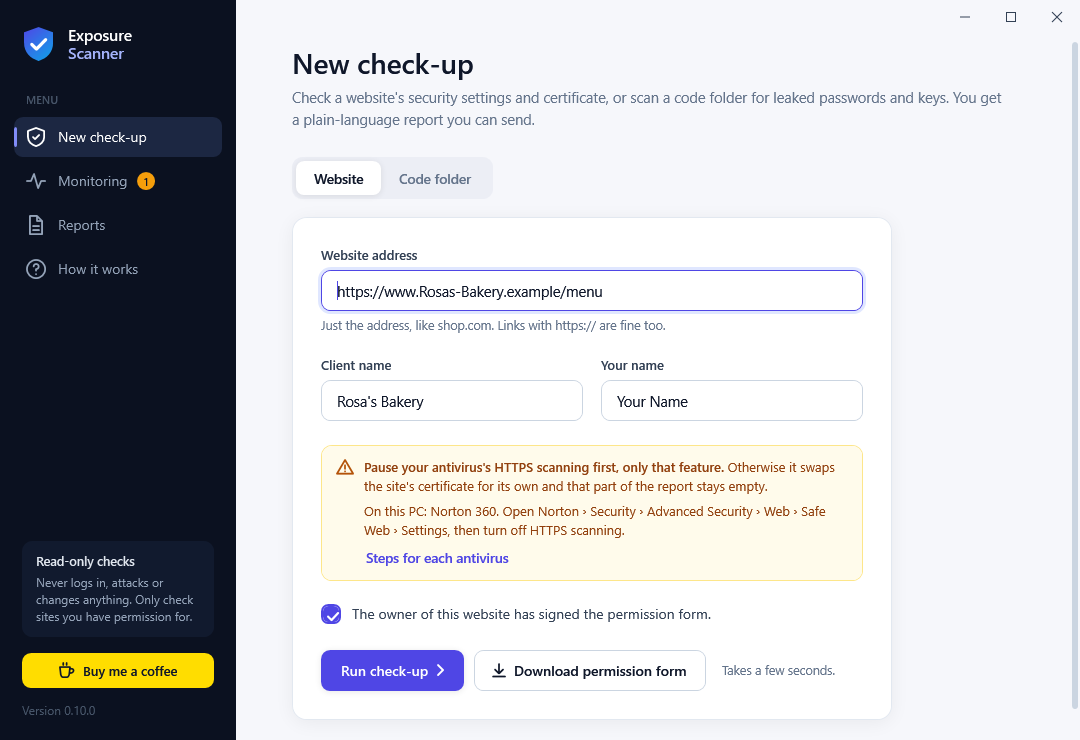
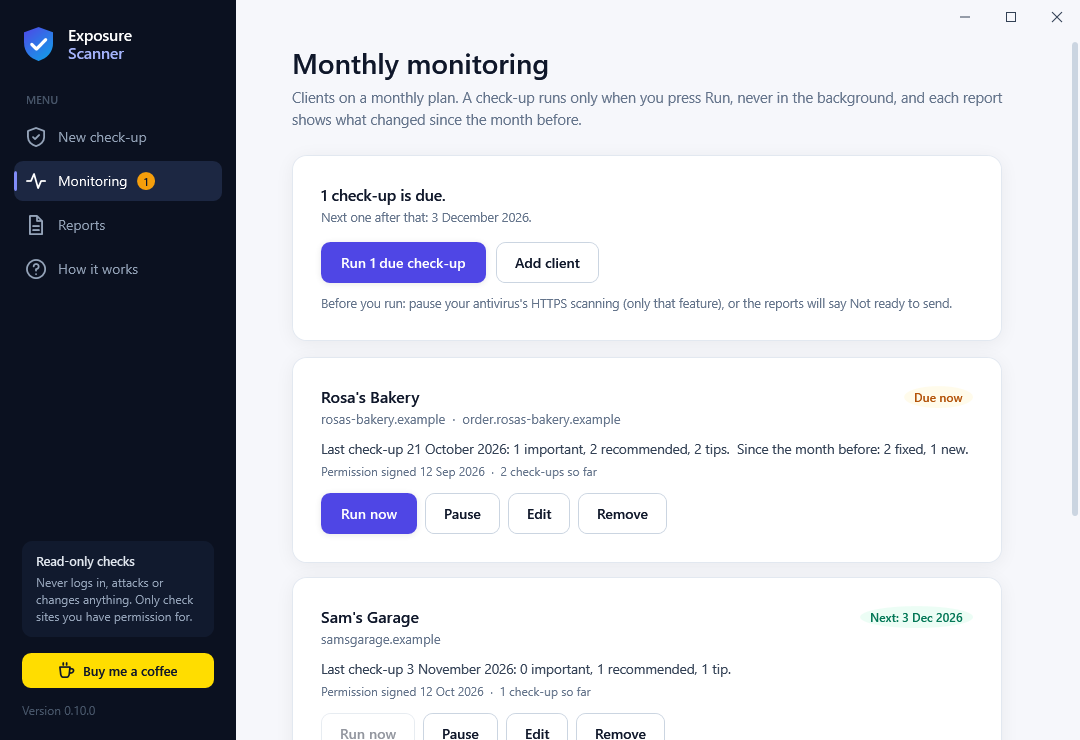
New in 0.10
Turn a one-off check-up into a monthly service. Add clients who chose monthly re-checks, and the app shows which check-ups are due.
The installer adds the scanner command. JSON output and exit codes make it easy to script, and every network check refuses to run until you confirm you are allowed to check the site.
scanner site shop.example --i-own-this --html report.html
scanner site shop.example --i-own-this --json
scanner secrets C:\code\client-siteYes. It is open source under the MIT license, with no account, no trial and no limits. If it saves you time, you can buy the author a coffee.
No. Only check sites you own, or a client's site after they sign the permission form (included in the app as a fillable PDF). The checks are read-only and gentle, the same requests a browser makes, but permission still matters.
The installer isn't signed with a paid certificate yet, so Windows doesn't know the publisher. Click More info, then Run anyway. Each release lists SHA-256 fingerprints so you can confirm you have the original file.
Many antivirus programs (Norton, Avast, AVG, Kaspersky, ESET, Bitdefender and others) swap a website's certificate for their own while they scan secure connections, so the check would see theirs instead of the site's. Only that one feature needs pausing; the app tells you how and reminds you to turn it back on.
To the website you check: the home page request, up to five public files when needed to read a software version, and a secure-connection check. To the public security lists (WordPress.org, NVD, OSV.dev, CISA, endoflife.date): a weekly download of the lists. Nothing about you or your checks is sent anywhere else.
No. It means no problems were found in the checks it runs. It reads the home page and what the server shows; versions can be hidden, and it doesn't yet check WordPress plugins or pages behind a login.
The app is for Windows 10 and 11. The command-line scanner is plain C, so it can be built from the source on other systems, but only the Windows build is tested for each release.
Install it, check your own site, and see the report your clients would get.